Disclaimer: This extension is designed solely for marketing purposes—such as giveaways, raffles, competitions, contests, and prize draws—and is not intended to support or facilitate gambling or lotteries. Store owners are solely responsible for ensuring that their promotional activities comply with all applicable local, state, national, and international laws and regulations in their jurisdictions.
Turn every prize into more sales, repeat visits, and loyal customers
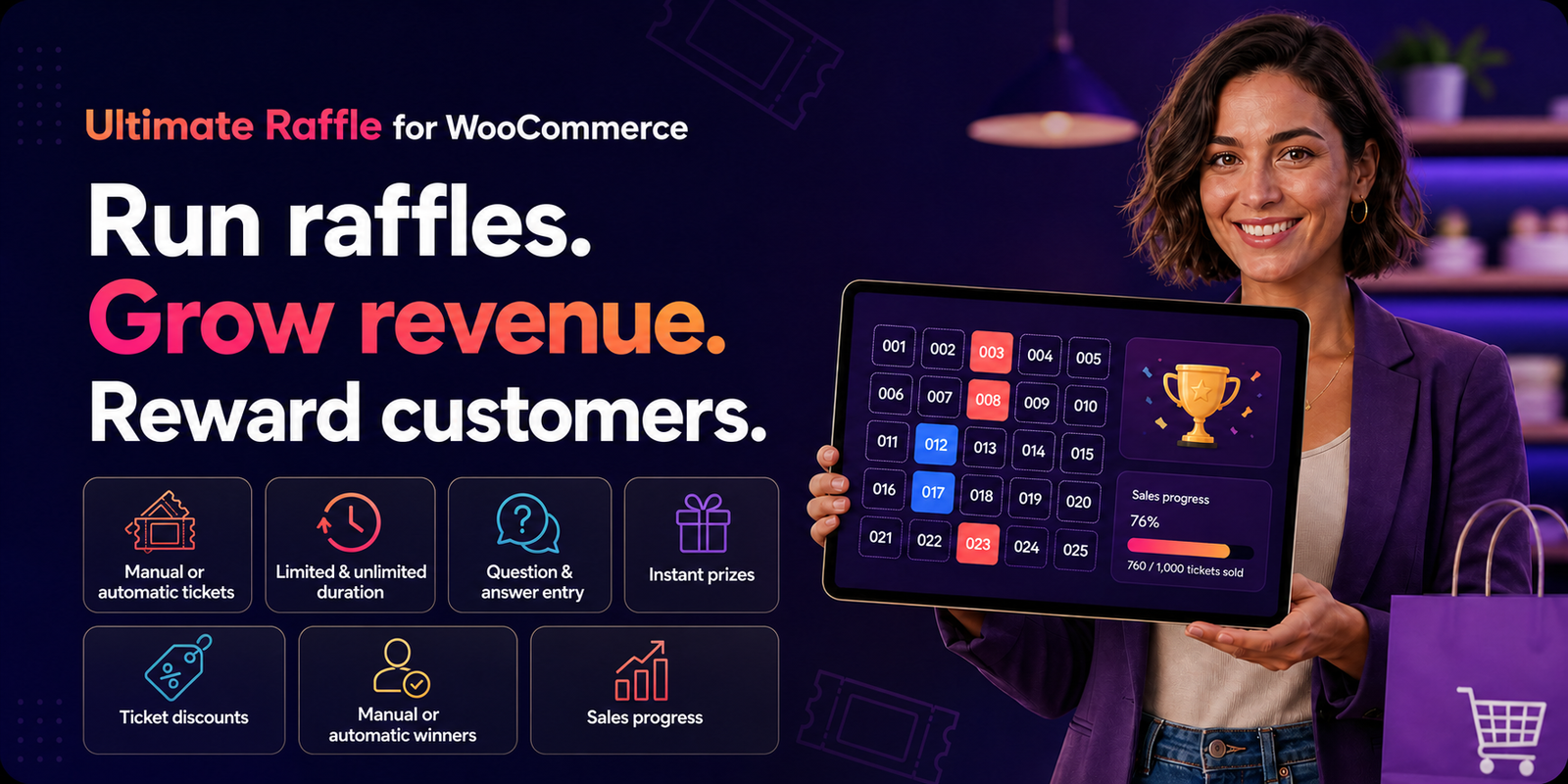
Ultimate Raffle helps your WooCommerce store boost revenue, attract new customers, and keep shoppers engaged with fun, interactive promotional campaigns.
Start running Ultimate Raffle campaigns today and watch your store attract more shoppers, increase engagement, and generate higher sales—all without complicated setups.
- Add an easy-to-use, feature-rich raffle and giveaway system to configure, create, and manage promotional and marketing campaigns on your WooCommerce shop.
- Boost your store’s revenue and customer engagement with exciting promotions powered by raffle tickets.
- Run raffles, giveaways, prize draws, competitions, and contests to attract and reward customers.
Ready to Boost Sales and Delight Customers?
Ultimate Raffle helps your WooCommerce store boost revenue, attract new customers, and keep shoppers engaged with fun, interactive promotional campaigns.
Interactive demo · No setup required
See Ultimate Raffle in action
Explore the customer experience and try the raffle flow before you add it to your store. Try the full raffle journey—from choosing tickets to checking prizes—before you buy.
One plugin for every way you want to run a raffle
With Ultimate Raffle, your store runs promotions your way—whether you want unlimited-time campaigns that run continuously or limited-time events that create urgency, all while offering flexible entry options for your customers.
Customers can purchase their raffle tickets via the following ways:
Manual selection · Timed campaign
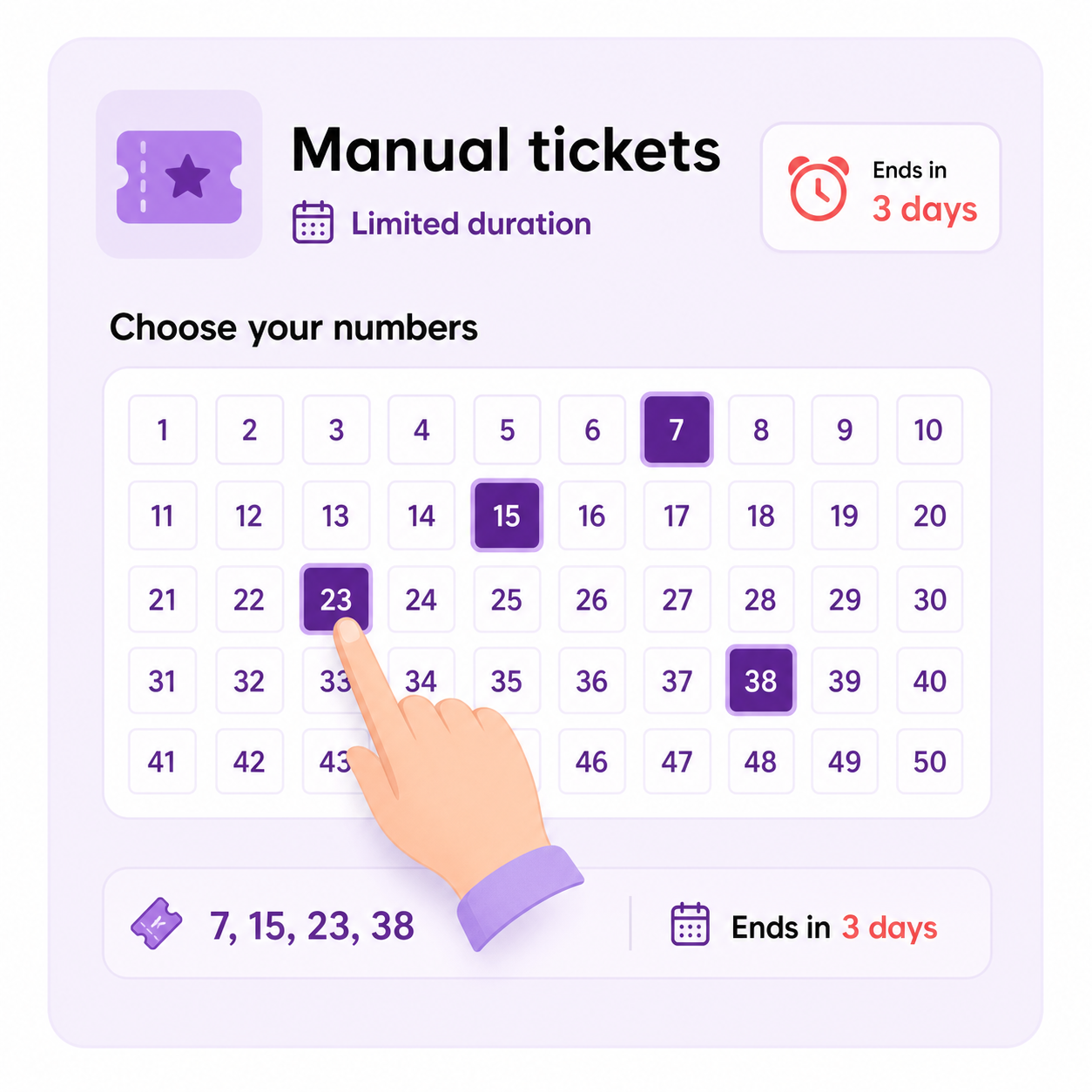
Manual tickets creation with limited duration
If the site admin wants to set up a raffle with limited duration whereas customer should choose their ticket numbers manually as per their preference then the raffle product page will be displayed as below,
Manual selection · Always on
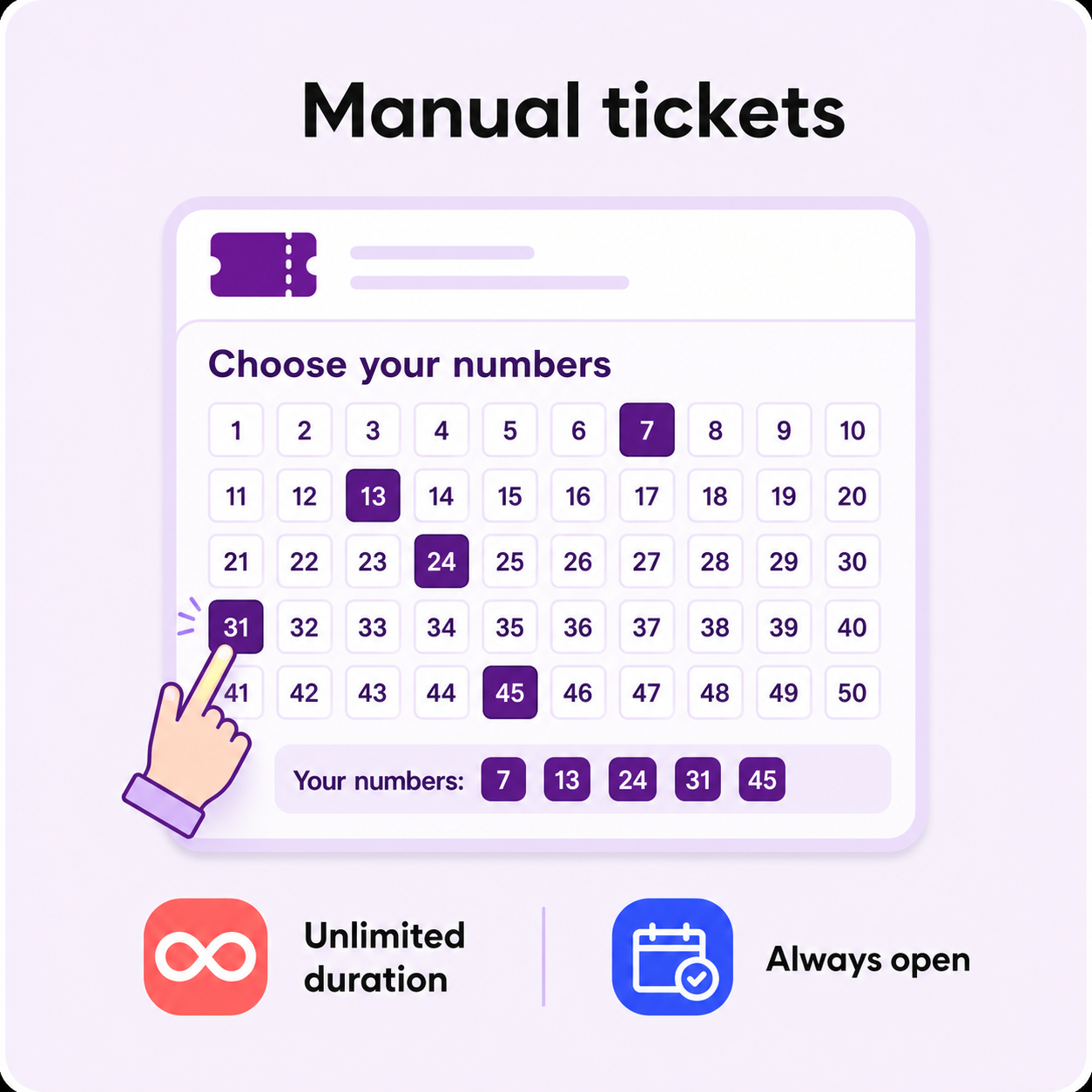
Manual ticket creation with unlimited duration
If the site admin wants to set up a raffle with unlimited duration, whereas customer should choose their ticket numbers manually as per their preference, then the raffle product page will be displayed below,
Automatic selection · Timed campaign
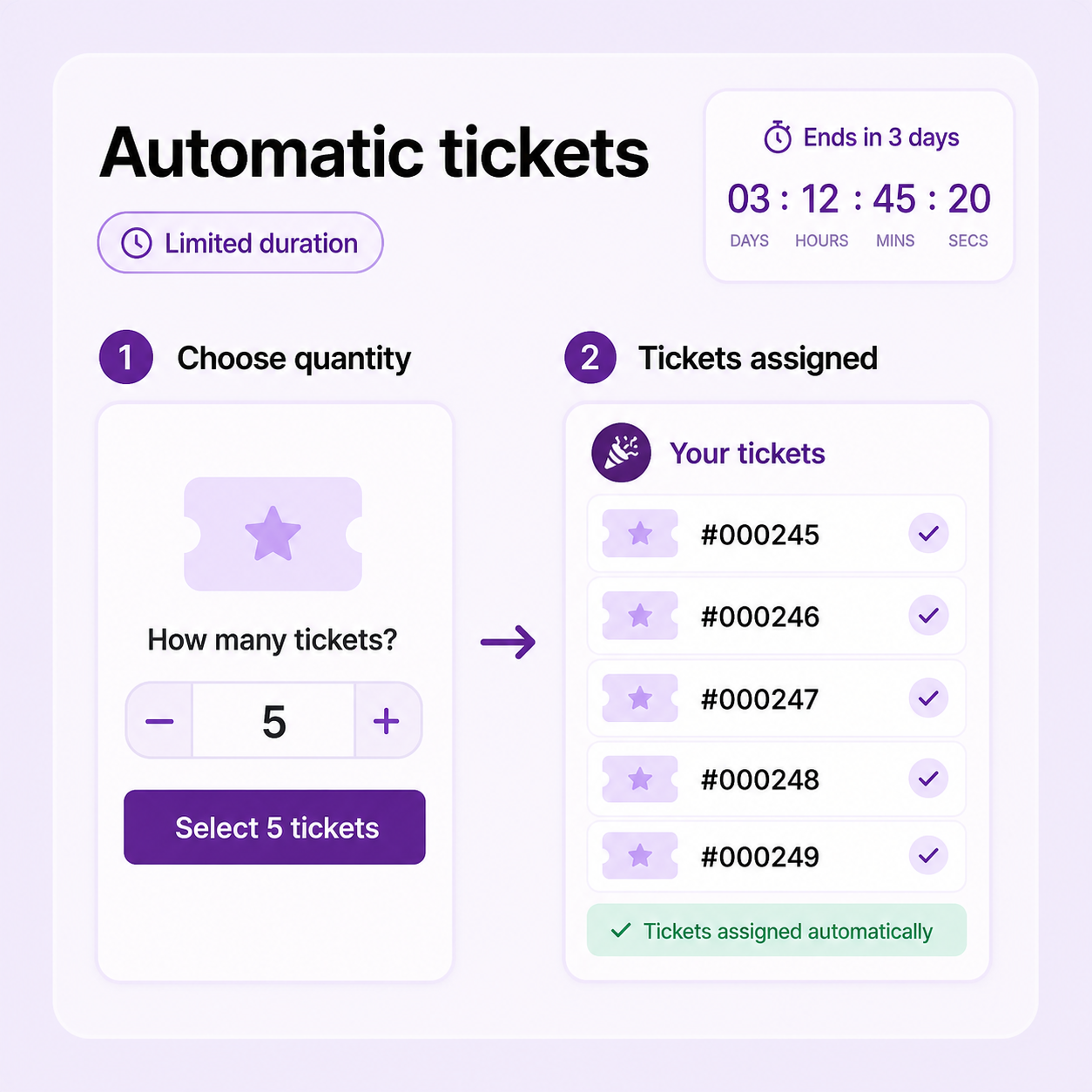
Automatic ticket creation with a limited duration
If the site admin wants to set up a raffle with limited duration, whereas the ticket numbers should be automatically generated based on the quantity of tickets chosen by the customer then the raffle product page will be displayed as below,
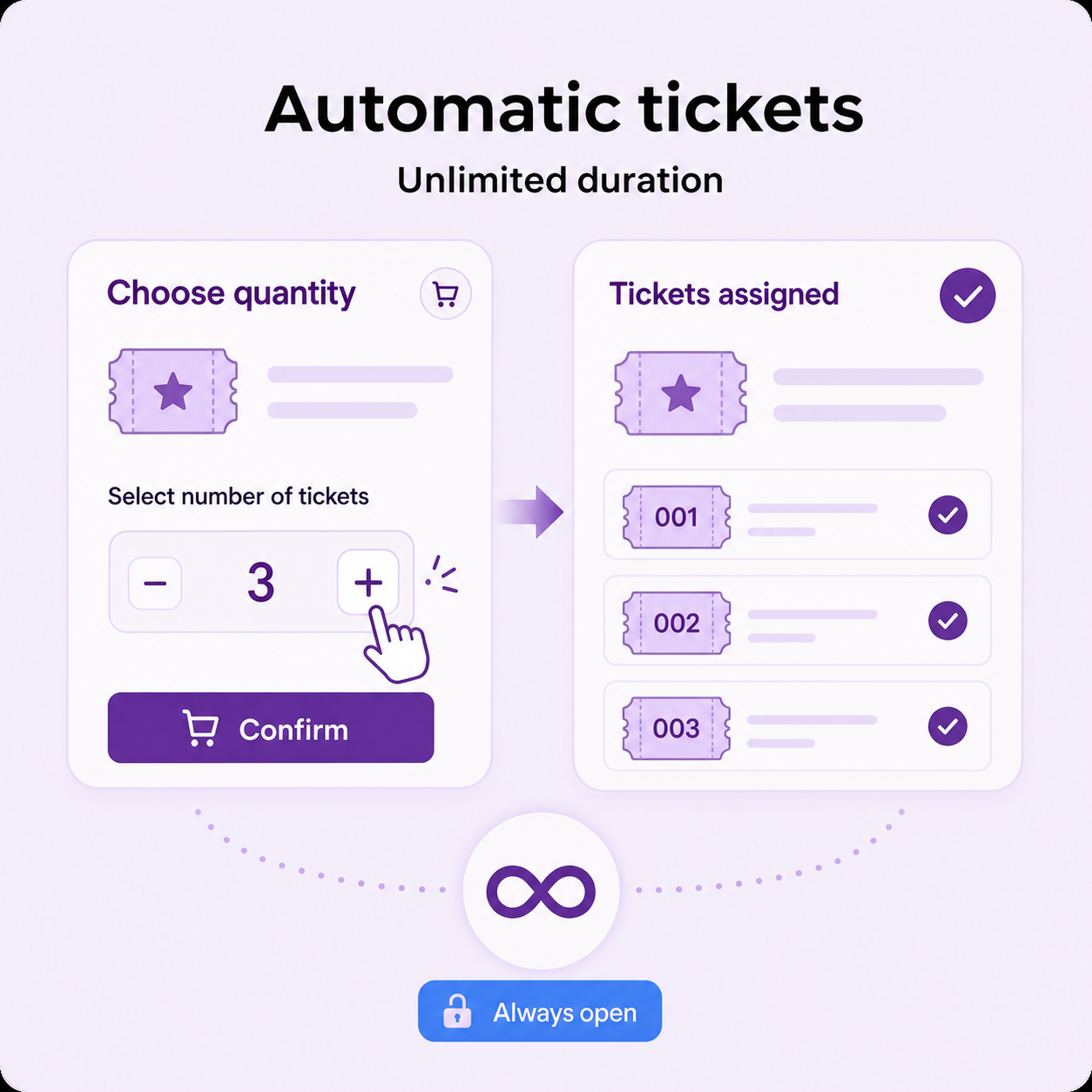
Automatic selection · Always on
Automatic ticket creation with unlimited duration
If the site admin wants to set up a raffle with unlimited duration whereas the ticket numbers should be automatically generated based on the quantity of tickets chosen by the customer, then the raffle product page will be displayed as below,
Sell more tickets with a smoother product-page experience
Let customers choose their preferred ticket numbers, generate tickets automatically, or use Lucky Dip for a quick random selection. Ticket discount grids, the quantity slider, and sold-versus-available progress make the next action clear and encourage shoppers to participate.
Increase basket value
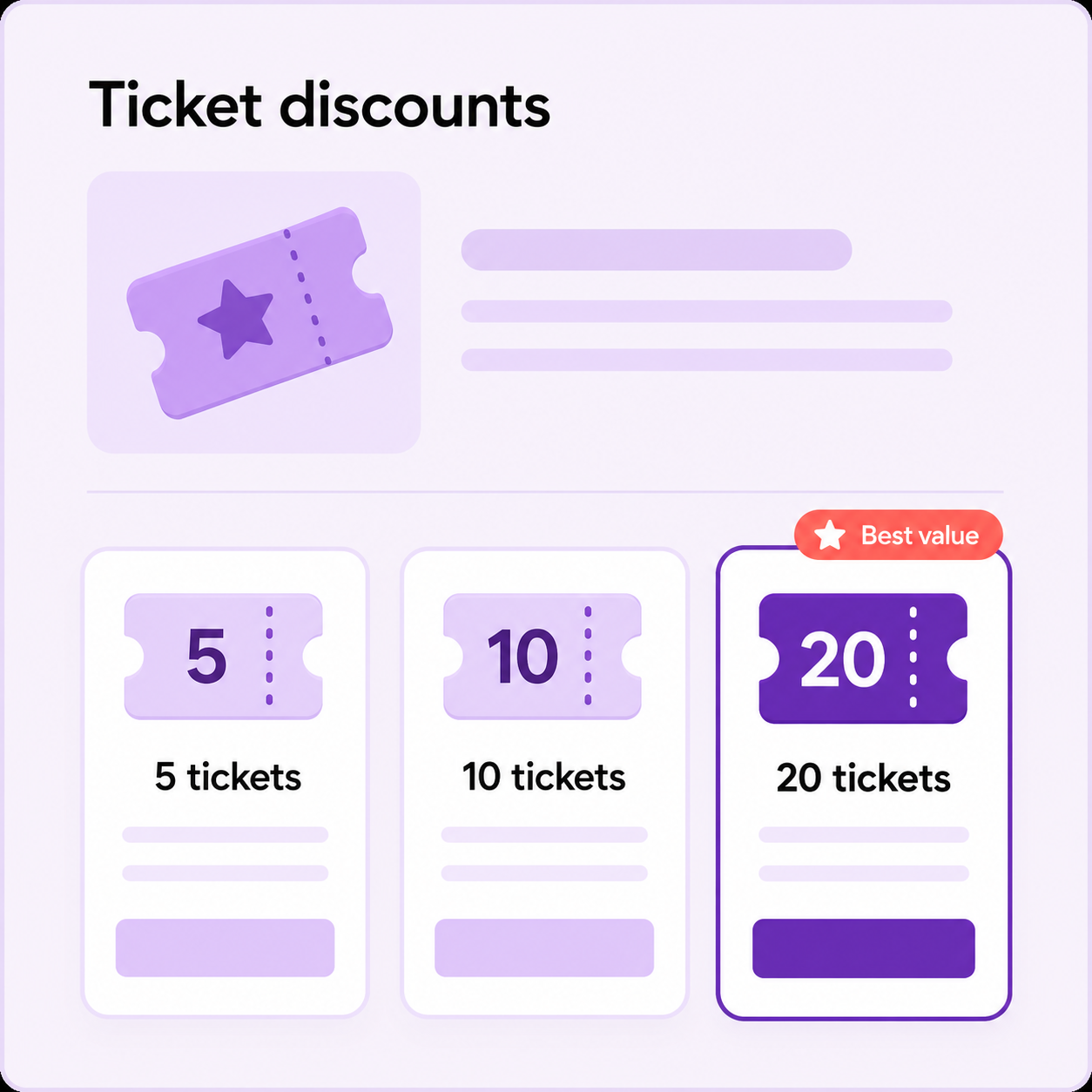
Ticket discounts that make bigger entries more rewarding
Site admin can display ticket discounts in a grid on the product page and offer attractive ticket discounts to customers. Clear tiers make the value easy to compare before checkout.
Faster quantity choice
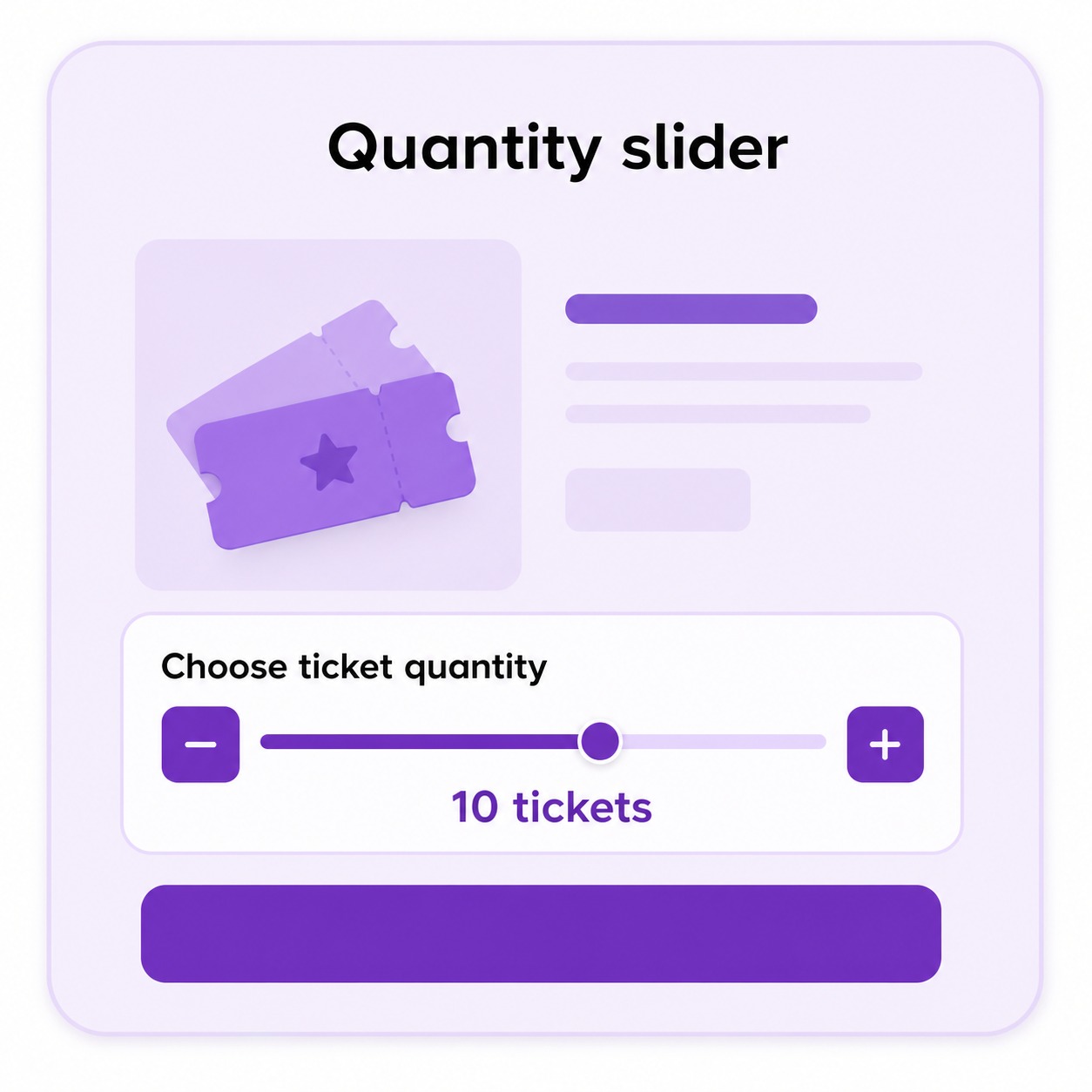
Quantity slider in product page
Site admin can setup a quantity slider in their product page for Automatic Ticket Creation Type by replacing the default product quantity selector.
One-click participation
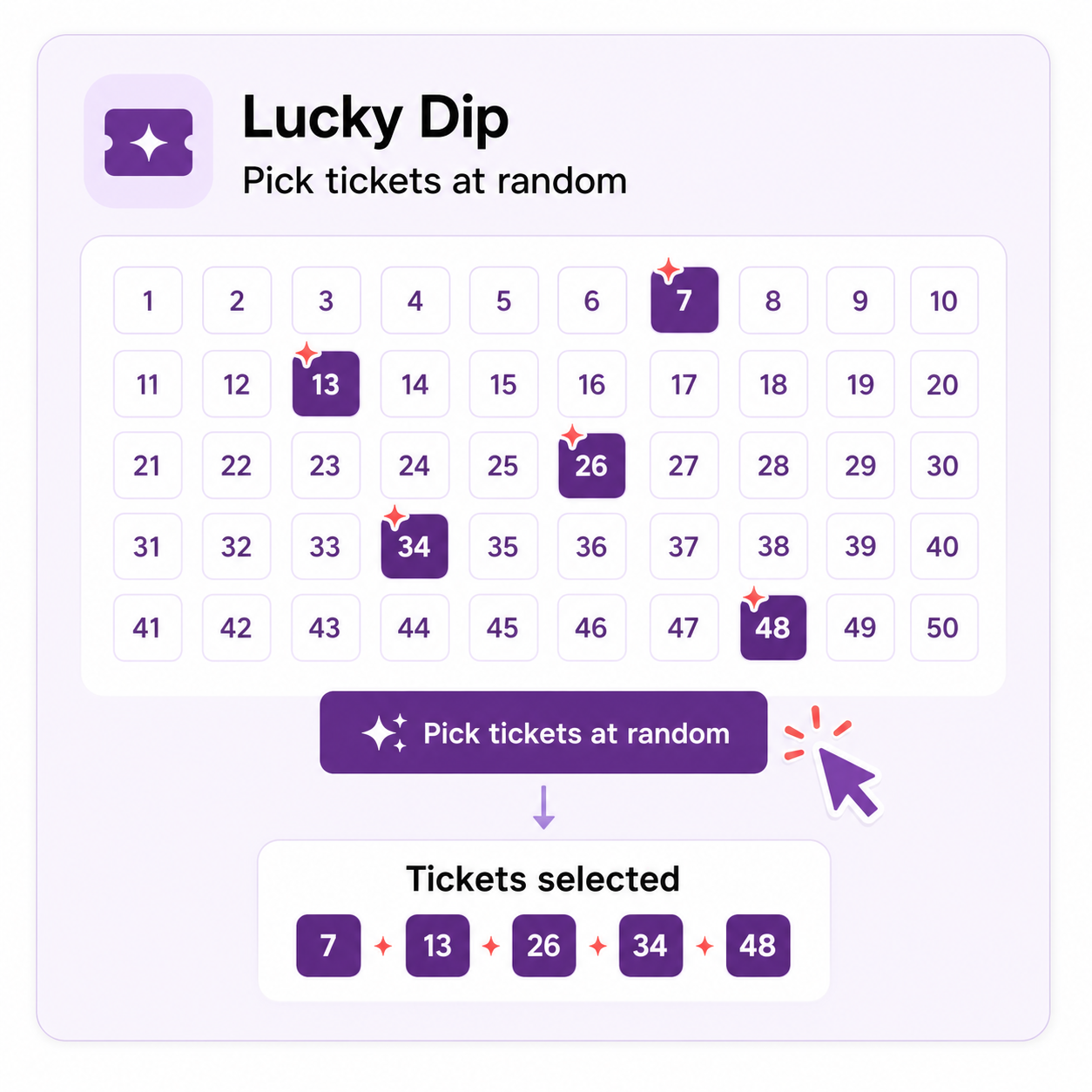
Lucky Dip makes ticket selection instant
Site admin can set up a lucky dip where customers can choose tickets at random. It is a fast, playful choice for customers who do not want to pick numbers one by one.
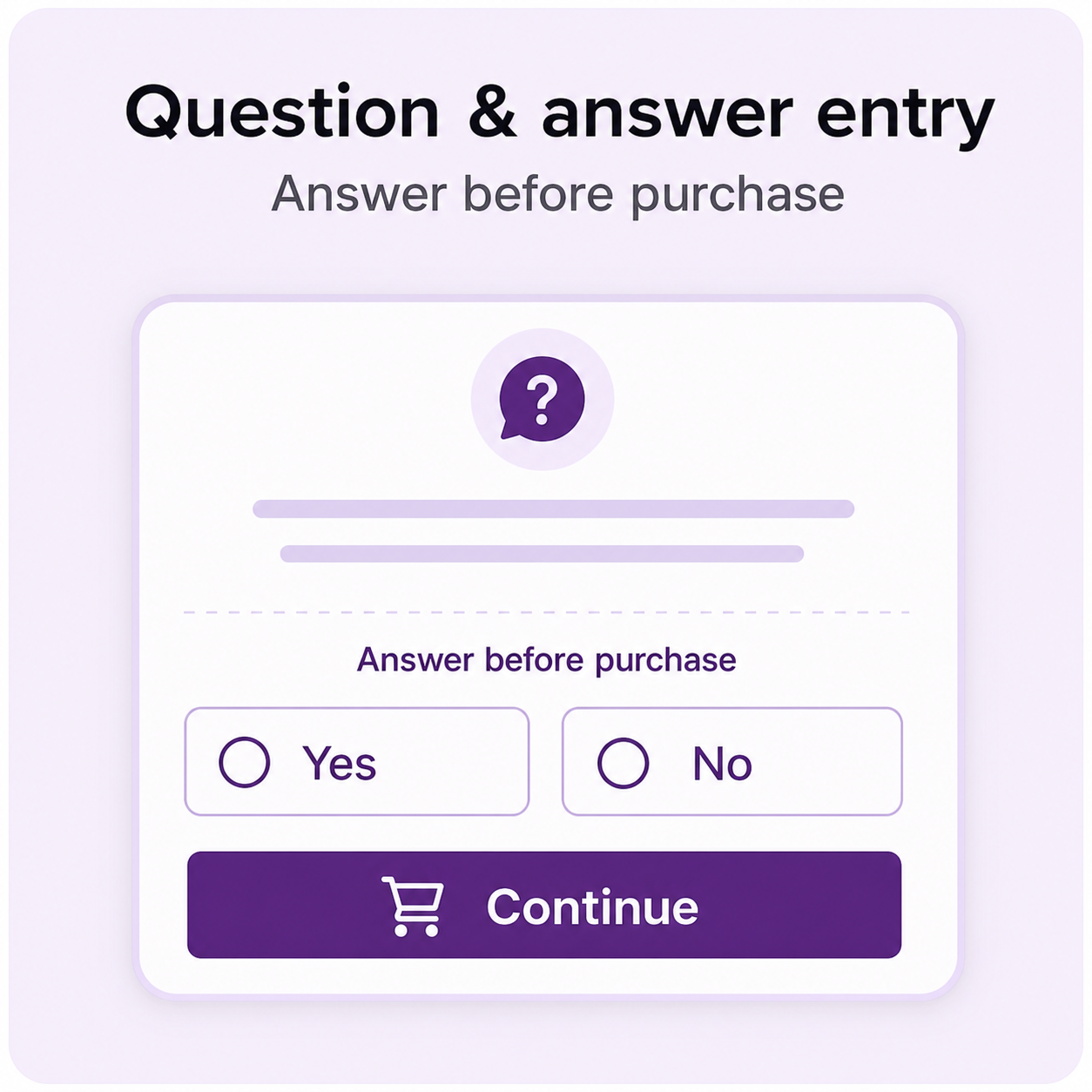
Qualify participation
Question & answer entry before purchase
Site admin can set up to ask a question to customers before they can purchase a raffle. This adds a simple qualification or engagement step to the entry experience.
Build urgency
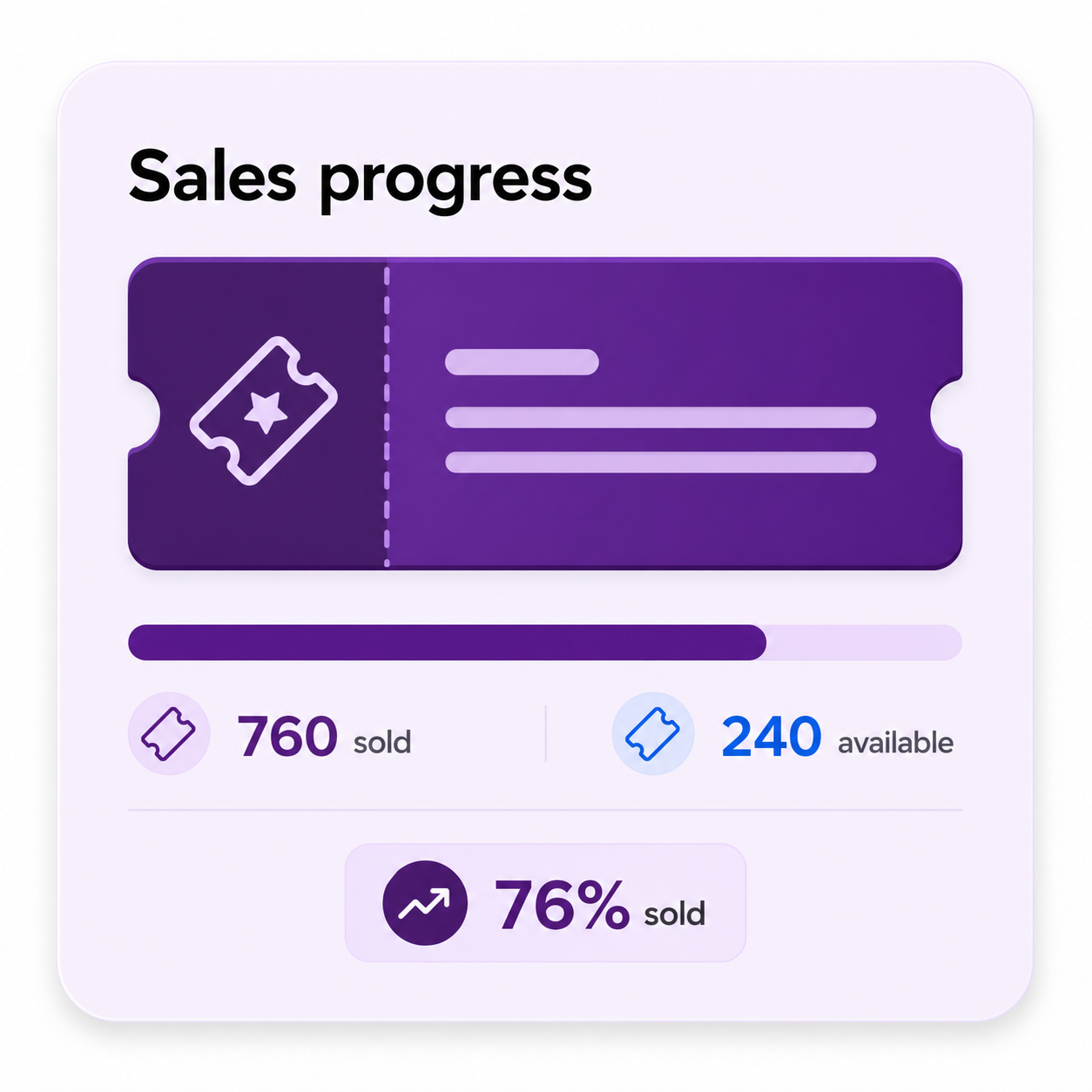
Show sold and available tickets at a glance
Displays sold / available tickets in a progress bar. Customers can see the campaign momentum and understand how much availability remains.
Manage raffles accurately from the WooCommerce raffle list
Sales progress with health indicators, advanced filters, CSV ticket export, activity notes, and instant-prize import and export help your team find and manage the right raffle accurately.
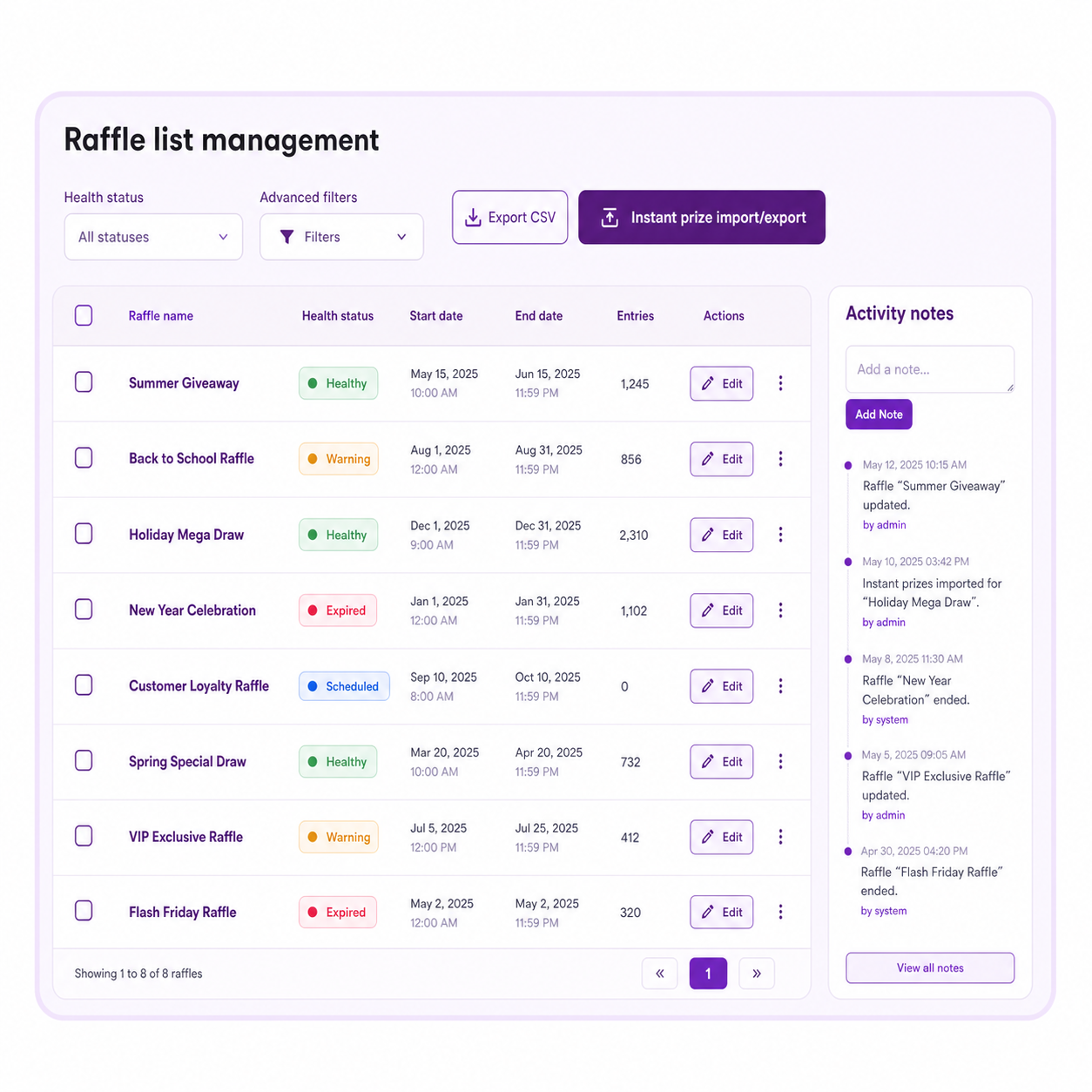
Accurate admin controls
Raffle list management with practical admin controls
Use health indicators in the admin raffle list, filter by ticket creation, winner type, instant prizes, health status, and date range, export user tickets as CSV, and record raffle status events with activity notes.
Choose winners and deliver rewards without manual busywork
Announce winners automatically or manually, offer instant prizes, and reward customers with products or coupons. Ultimate Raffle keeps the journey from ticket purchase to prize communication inside a consistent WooCommerce experience.
Your choice of draw control
Manual or automatic winner selection
Winners announcement can be made either automatically / manually by site admin. Choose the workflow that matches the way each campaign is operated.
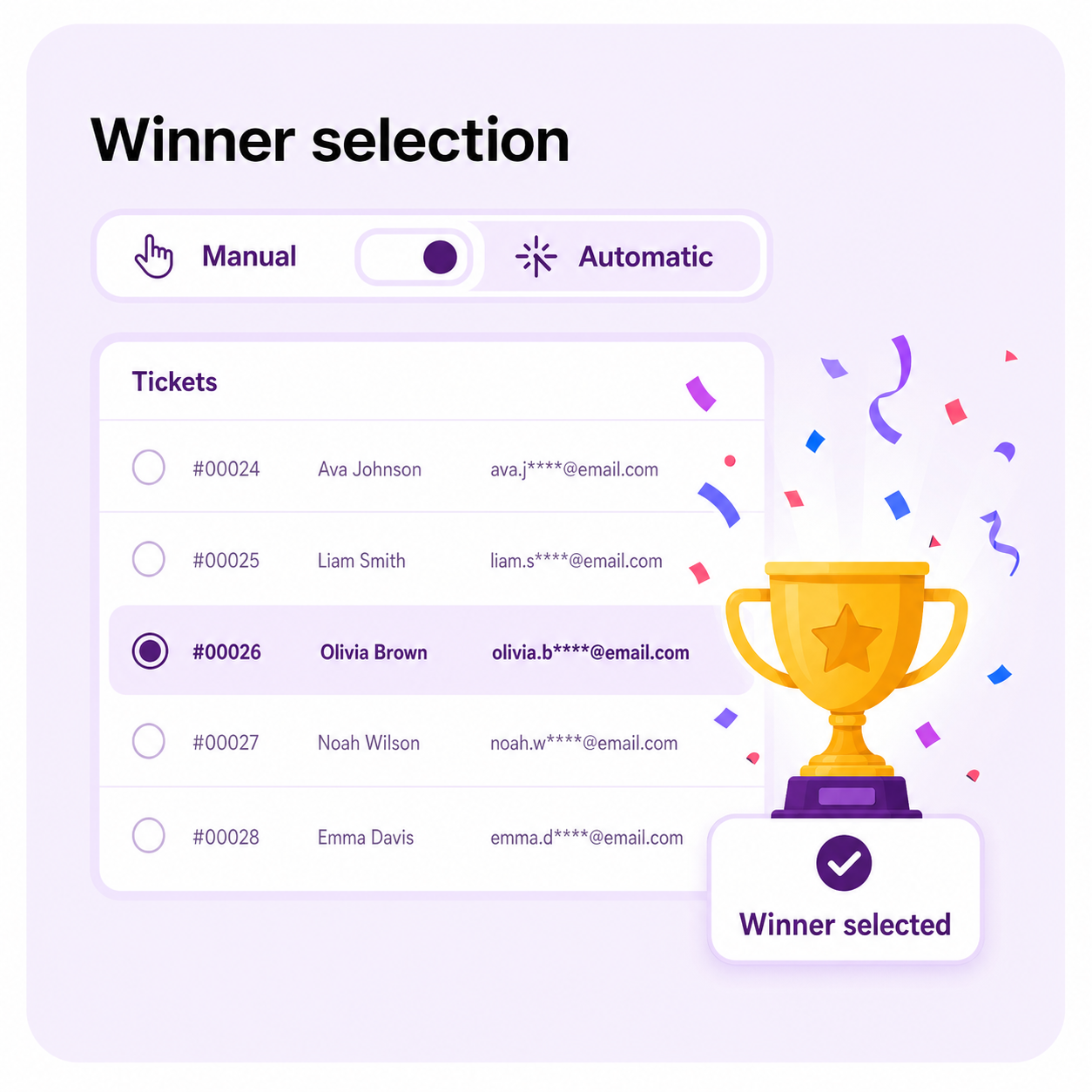
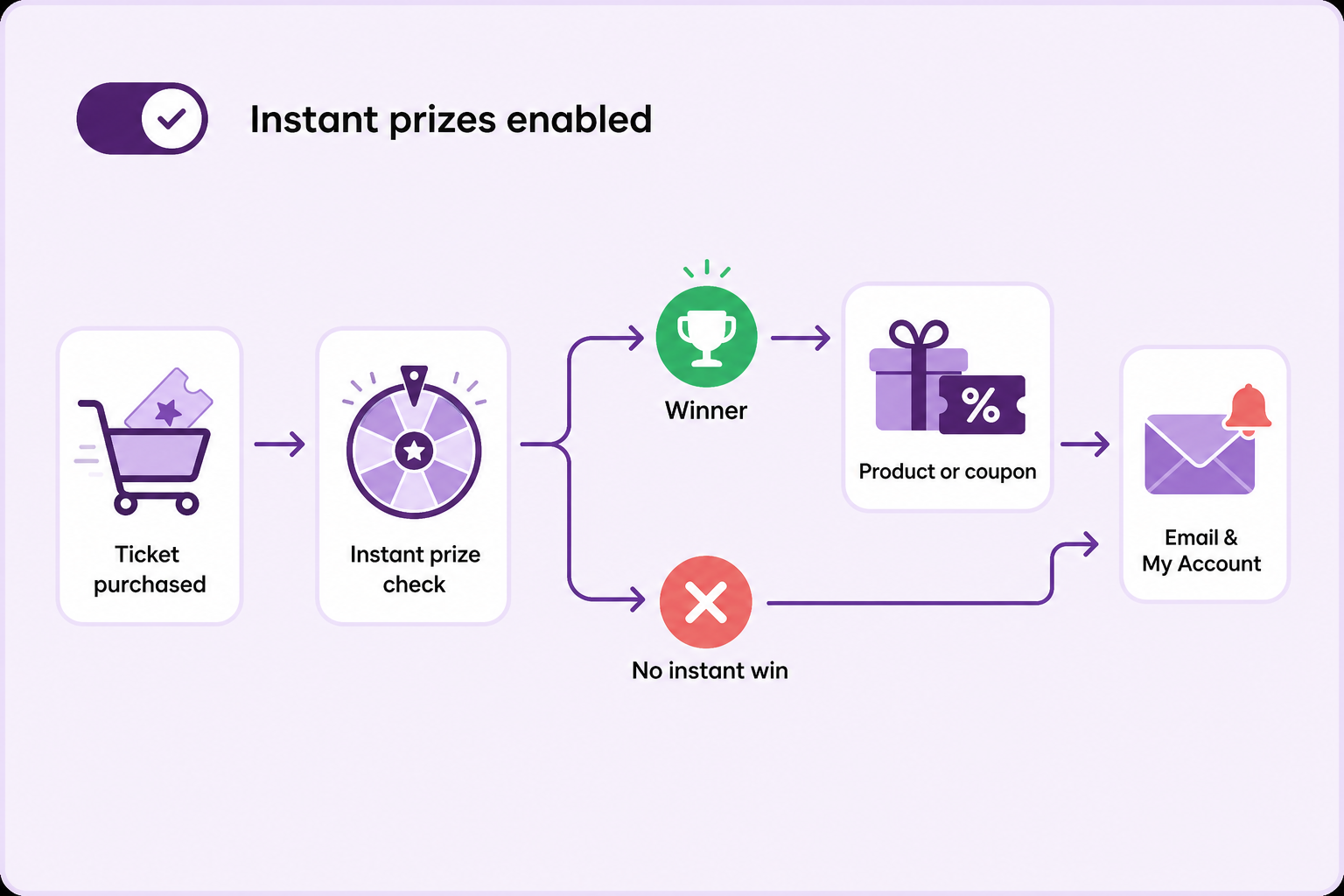
Optional reward workflow
Instant prizes create an immediate reason to celebrate
When instant prizes are enabled, a ticket purchase can be checked immediately, a winner can receive a product or coupon reward, and the result can be communicated through email and My Account. Import and export support makes instant-prize setup easier to manage.
Control participation, checkout rules, and customer privacy
Decide whether guests can enter, must log in, or cannot participate. Limit raffles by user role, control compatible payment gateways, prevent mixed checkout when needed, and mask usernames on public ticket and instant-winner tabs.
Customers can track purchased raffle tickets from a dedicated My Account menu.
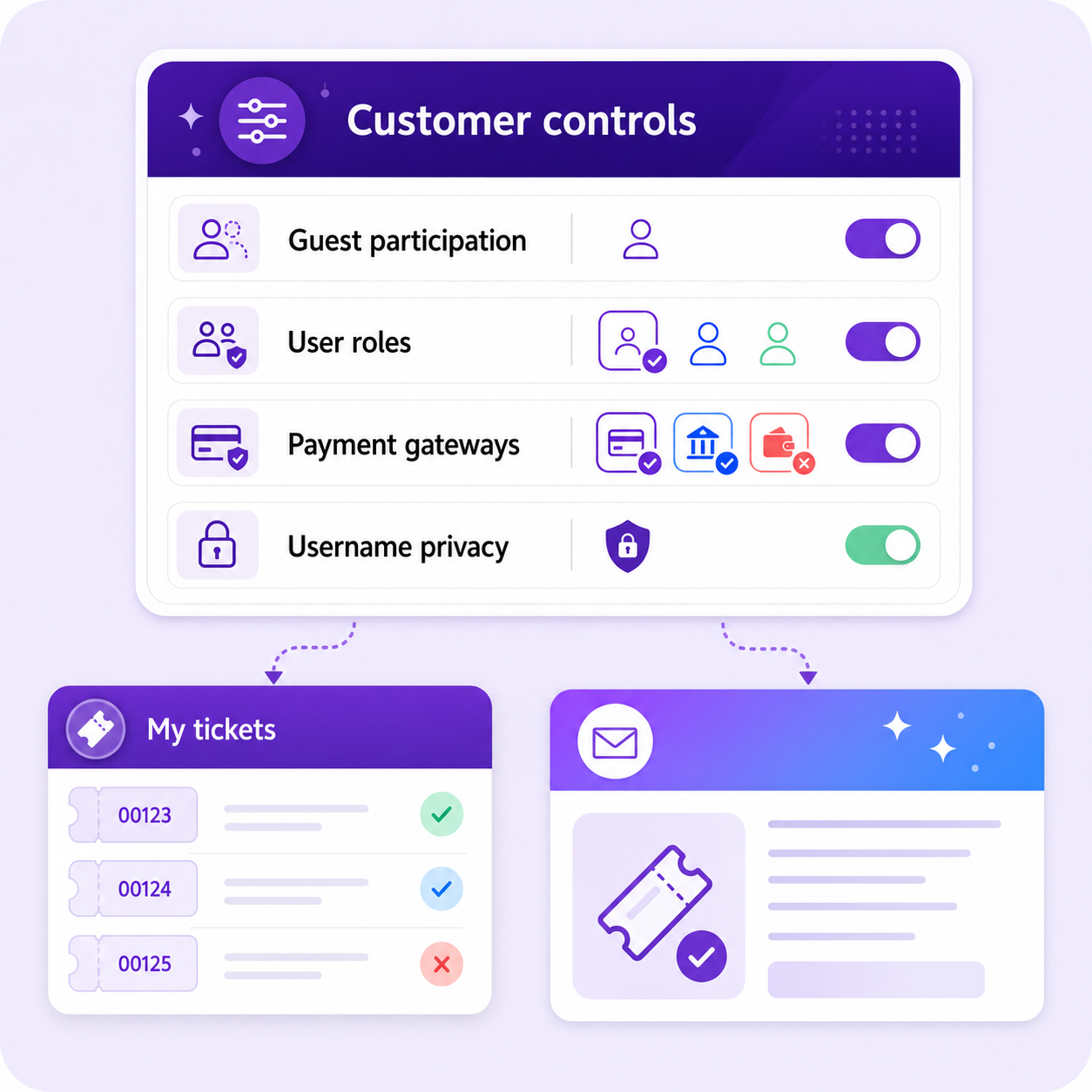
Keep everyone informed
Emails
Emails can be sent to the customers and store owners for all the raffle activities.
WooCommerce emails can communicate ticket purchases, instant-prize results, and winner announcements using the familiar store email workflow.
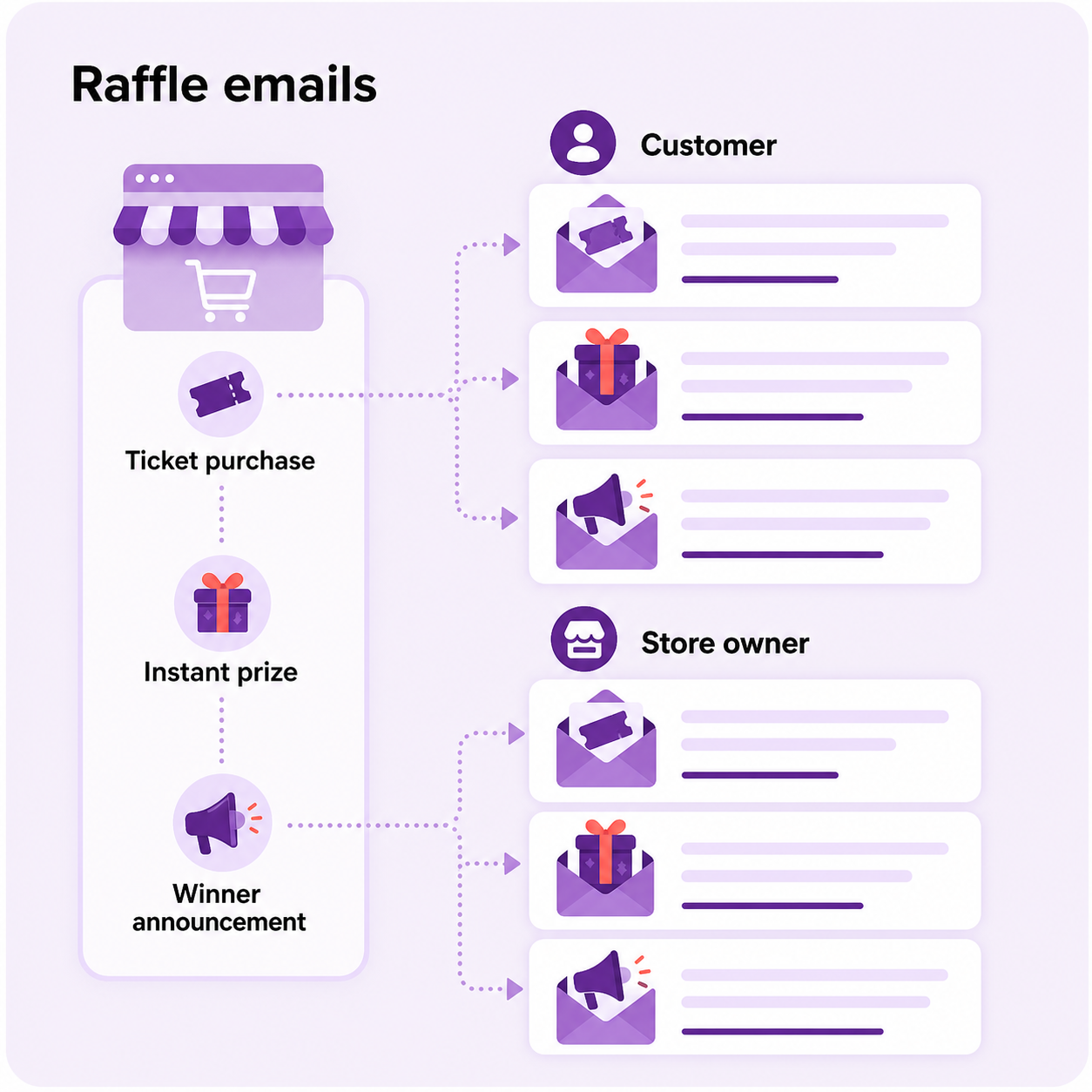
Features
Feature packed for raffles, giveaways, contests, and prize draws
Configure campaigns, shape the customer experience, monitor performance, and manage winners using one flexible WooCommerce extension.
- Sitewide option to enable or disable raffle purchases with a single click.
- Site admin can set up limited or unlimited raffle duration.
- Site admin can set up limited or unlimited raffle tickets.
- Site admin can set up manual ticket selection where customers can choose tickets as per their preference.
- Site admin can set up automatic ticket selection where tickets are generated automatically for customers.
- Site admin can display ticket discounts in a grid on the product page. (New)
- Import and export support for instant prizes. (New)
- Sales progress with health indicators in the admin raffle list. (New)
- Advanced filters in the admin raffle list, including ticket creation, winner type, instant prizes, health status, and date range. (New)
- Filters for the frontend Tickets tab. (New)
- Site admin can customize labels and messages easily. (New)
- Site admin can export user tickets as a CSV file. (New)
- Site admin can set up a quantity slider on the product page. (New)
- Site admin can choose colors for the quantity slider. (New)
- Site admin can mask usernames in tickets and instant winner tabs on the product page. (New)
- Site admin can disable raffle by user roles.
- Site admin can disable mixed checkout for raffle products.
- Site admin can disable payment gateways when the cart contains raffle products.
- Site admin can set up a lucky dip where customers can choose tickets at random.
- Site admin can set up to ask a question to customers before they can purchase a raffle.
- Site admin can set up either allow / do not allow / force login the guest users to participate in a raffle.
- Site admin can offer products / coupons as a gift for winners.
- Site admin can offer instant prizes to customers.
- Site admin can offer attractive ticket discounts to customers.
- Winners announcement can be made either automatically / manually by site admin.
- Activity notes attached to the raffle to record event details about the raffle product status.
- Site admin can easily track their customers raffle in WooCommerce Orders table.
- Customers can easily track their raffle purchased under the Account page in a separate menu.
- Offered raffle emails via WooCommerce emails.
- Displays sold / available tickets in a progress bar.
- Introduced various shortcodes to manage the raffle products.
- Introduced various shortcodes to manage my raffles. (New)
Why it matters
Why you need Ultimate Raffle
- Unlimited-Time Campaigns
Run raffles and giveaways that continue automatically without requiring the admin to manually end them. - Limited-Time Campaigns
Create exclusive promotions that end automatically to generate urgency and excitement. - Flexible Ticket Options
Let customers choose their tickets manually or have tickets generated automatically for a seamless experience. - Effortless Management
Automate campaign setup, track entries, and manage winners inside WooCommerce. - Engaging Experience for Customers
Deliver a fun, rewarding, and interactive experience that keeps shoppers returning. - Boost Revenue Instantly
Drive more purchases, repeat visits, and brand engagement with every campaign.
Benefits
Benefits for growing WooCommerce stores
- Boost Sales & Revenue
Run engaging promotions that encourage more purchases and repeat customers. - Attract New Shoppers
Use raffles, giveaways, and contests to reach a wider audience and grow your customer base. - Increase Customer Engagement
Keep your shoppers excited and returning with fun, reward-driven campaigns. - Flexible Ticket Options
Offer unlimited raffle tickets to maximize participation or set limits for exclusivity. - Save Time with Automation
Easily manage durations, tickets, and winners inside WooCommerce. - Build Brand Loyalty
Reward your customers with memorable experiences that strengthen long-term relationships.
Is Ultimate Raffle worth it for my store?
Raffles are not only about choosing a winner. A well-designed campaign creates urgency, gives customers a reason to return, and turns a prize into an ongoing brand experience.
Ultimate Raffle combines ticket creation, prize options, campaign controls, reporting, customer communication, and winner management in one extension. That means fewer disconnected workflows and more time to focus on the campaign itself.
Other popular AspiringPlugins extensions
Check out our other best-selling and popular extensions for WooCommerce:
Frequently asked questions
Are instant prizes supported?
Yes, you can offer instant prizes to customers participating in raffles.
Can I control guest user participation in raffles?
Yes, you can allow, disallow, or require guest users to log in before joining a raffle.
Is it possible to offer ticket discounts?
Yes, you can provide attractive discounts on raffle ticket purchases.
Are there shortcodes available for raffles?
Yes, a variety of shortcodes are available to help manage and display raffle products.
Can I set a time limit for how long a raffle runs?
Yes, you can configure raffles with either limited or unlimited durations.
Can customers select their own raffle tickets?
Yes, manual ticket selection allows customers to choose their preferred ticket numbers.
Is there an automatic ticket generation option?
Yes, tickets can be automatically assigned to customers upon purchase.
Is there a way to export customer raffle tickets?
Yes, raffle tickets can be exported in CSV format for records or analysis.
How are winners announced?
Winners can be announced either manually or automatically by the site admin.
Can I translate raffle messages for different languages?
Yes, all raffle-related messages are translation-ready. You can use .po files to customize and translate the text into any language for multilingual support.